Moving your virtual machines to Oracle Cloud Infrastructure (OCI) is nice to reduce costs in Life Cycle Management for your physical compute, networking and storage. Although you don’t have to worry about the physical stuff, there is still maintenance needed on those machines. It can be firmware, faulty compute node, or replacement of physical compute. A lot of times that requires you to take action on your machines. Oracle is informing you about that maintenance, but you need to subscribe to those notifications.
Today we will have a look how we can configure subscribing to those messages using Terraform. That means configuring two services: the notification topic and the announcement service in OCI.
In my case, I would like to get notified about maintenance on every single resource I have configured by email.
Let’s start with configuring the Notification Topic and make sure my email address is configured.
# First create the topic.
resource "oci_ons_notification_topic" "mail" {
    compartment_id = var.tenancy_ocid
    name = "notifications_mail"
}

# Let's add our e-mail address to that topic.
resource "oci_ons_subscription" "mail" {
    compartment_id = var.tenancy_ocid
    endpoint = "tomy@email.com"
    protocol = "EMAIL"
    topic_id = oci_ons_notification_topic.mail.id # Topic created above.
}
Now we created a notification topic with my email address configured to it. This topic can also be used in other automations and functions in OCI.
As soon as your email address is created in the topic, you will receive an email to accept the subscription. If you do not accept this, the subscription does not work! The email should look something like this:
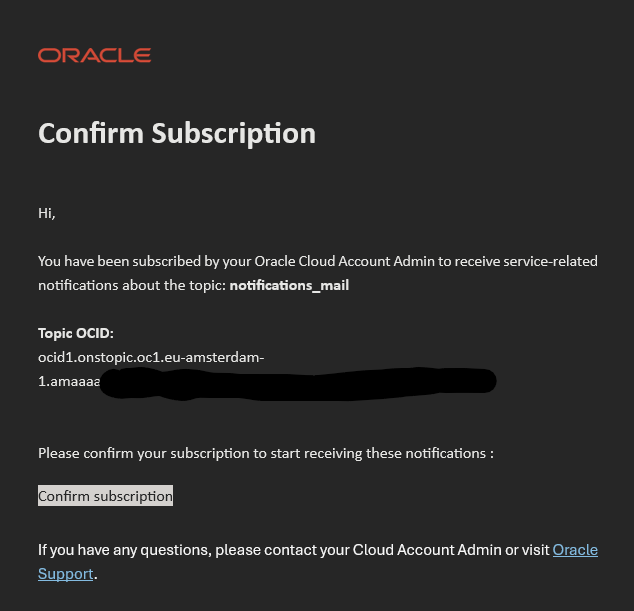
Now we need to make sure we subscribe to the announcement and specify about which announcement we would like to be informed. In that subscription we reference the topic we just created.
For this we will use one single resource. In this resource we specify about what I would like to be informed. Okay, let’s see.
resource "oci_announcements_service_announcement_subscription" "maintenance" {
    compartment_id = var.tenancy_ocid
    display_name = "Mail notification for maintenance"
    description = "Notification subscription for MCX operators"

# Use the notification topic created earlier
    ons_topic_id = oci_ons_notification_topic.mail.id

# Add your filters on what you want to be informed.
    filter_groups {
      filters {
        type  = "ANNOUNCEMENT_TYPE"
        value = "SCHEDULED_MAINTENANCE"
        }
      filters {
        type  = "ANNOUNCEMENT_TYPE"
        value = "EMERGENCY_MAINTENANCE"
      }
      filters {
        type  = "ANNOUNCEMENT_TYPE"
        value = "EMERGENCY_MAINTENANCE_COMPLETE"
      }
      filters {
        type  = "ANNOUNCEMENT_TYPE"
        value = "EMERGENCY_MAINTENANCE_EXTENDED"
      }
      filters {
        type  = "ANNOUNCEMENT_TYPE"
        value = "EMERGENCY_MAINTENANCE_RESCHEDULED"
      }
      filters {
        type  = "ANNOUNCEMENT_TYPE"
        value = "ACTION_RECOMMENDED"
      }
      filters {
        type  = "ANNOUNCEMENT_TYPE"
        value = "ACTION_REQUIRED"
      }
      filters {
        type  = "ANNOUNCEMENT_TYPE"
        value = "EMERGENCY_CHANGE"
      }
  }
    # Add your preference here.
    preferred_language = "en-US"
    preferred_time_zone = "Europe/Amsterdam"
}
As soon as Oracle needs to do maintenance on resources, you will get informed by email. This is just a example of the notification. You can also do SMS, Slack or Pagerduty for example. In case you use Pagerduty, then your endpoint should be an HTTPS URL. Just change the first block as you like.
I hope this can help you monitor your resources and plan your reboots and maintenance of your resources accordingly and make sure you won’t get any surprises that machines suddenly shut down or reboot when you don’t expect it.
Thanks for reading! Until the next one 🙂